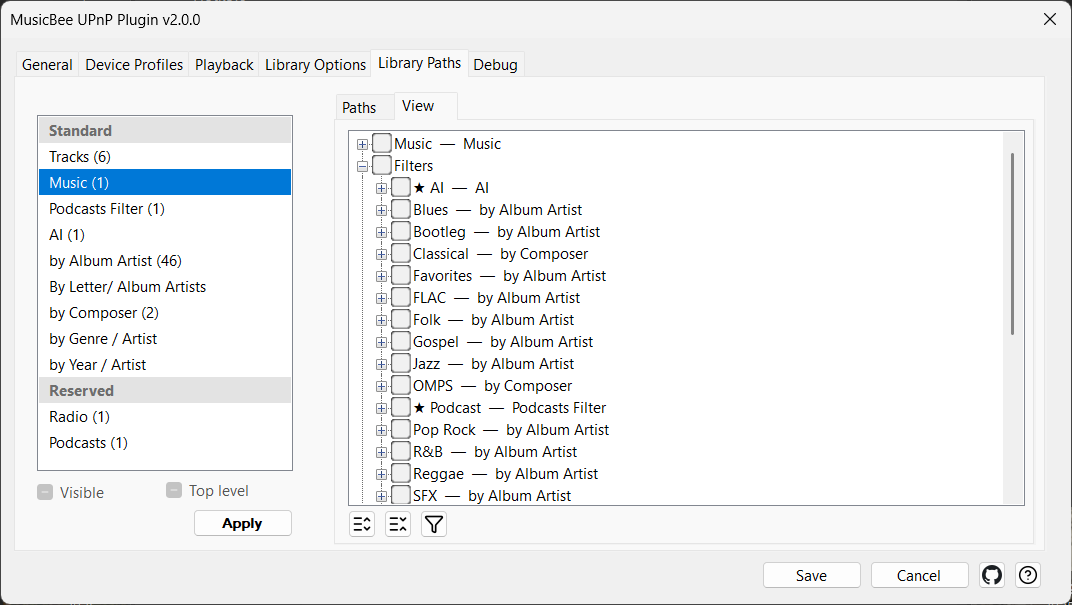
Show, hide and shape each node
This is the second headline feature, and the one that earns the fork its name. Publishing seven sources would be noise if you couldn't control them — so every exposed node is independently switchable, pinnable to the root, and carries its own discovery path.
You manage all of this on the settings dialog's View tab, which shows the whole exposed tree as a checklist. The pattern is always the same: tick the nodes you want to act on, then use the controls beside the tree to set them all at once — make them visible or hidden, pin them to the top of the tree, or apply a path template. So you might expose Music, Filters and Playlists, hide the Inbox and Radio, pin your Jazz filter to the root, and give Podcasts a by-subscription shape — each independently.