Device profiles — adapting to each device
Real UPnP hardware is inconsistent about what it accepts: one streamer wants 24-bit FLAC, another only plays 16-bit PCM, a third lies about which codecs it supports. A device profile is how you teach the plugin one device's limits and quirks.
How a profile is chosen. Every device identifies itself with a User-Agent string when it connects. A profile says "apply me when the user-agent contains this fragment." When a device connects, the plugin finds the matching profile; if none matches, a built-in Generic Device profile is the fallback. You can list several fragments separated by | (for example Linn|ChorusDS|BubbleDS) so one profile covers a family of related devices.
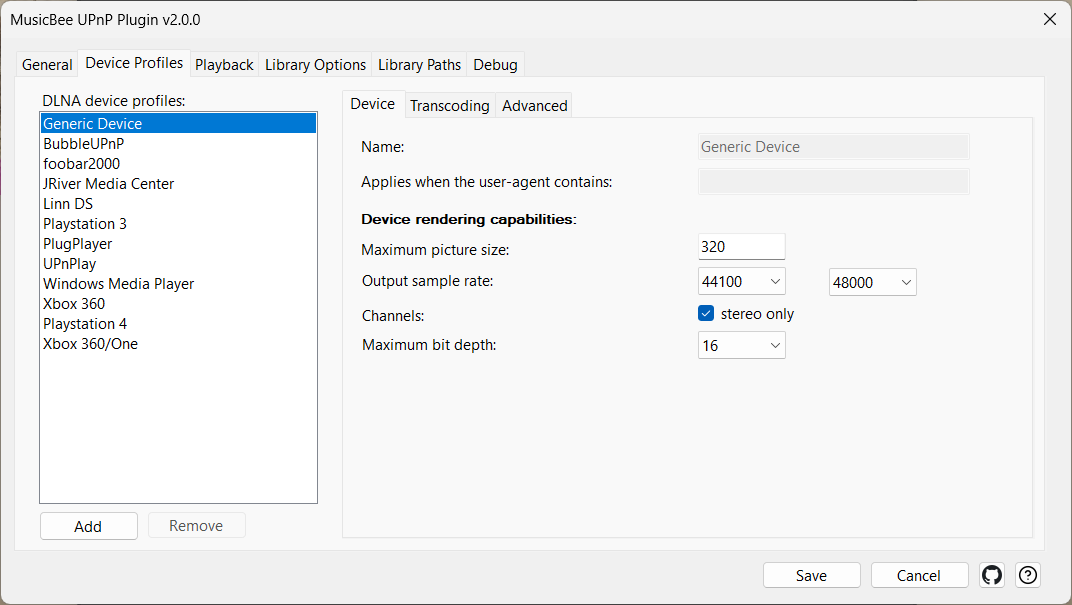
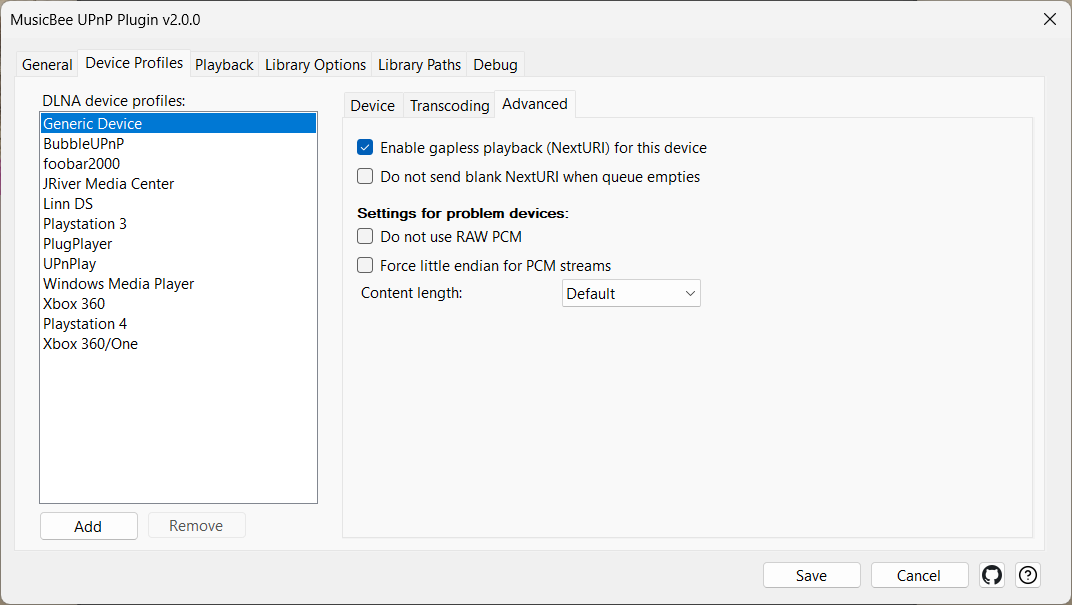
What a profile controls. The limits a device can't exceed — maximum picture size for album art, allowed sample-rate range, maximum bit depth, stereo-only downmixing — plus, when a track does need converting, which output format and sample rate to convert to. A separate group of "problem device" switches works around specific hardware bugs (raw-PCM handling, byte order, the HTTP content-length header). Those exist because UPnP compliance in the wild is patchy; most people never touch them.
When to touch a profile. Only when a specific device misbehaves. Out of the box the Generic profile, plus the per-device defaults shipped for common hardware, cover the majority of cases. To find a device's user-agent so you can target it, turn on debug logging (see Diagnostics), play something from the device, and read the useragent= line in the log.
The profile's most consequential switch — force native stream — isn't really about limits at all; it decides whether any of the above applies. That's the next concept.
Settings
| Control | What it does |
|---|---|
| Name | The profile's display name. |
| Applies when the user-agent contains | The user-agent fragment(s) a device must contain to match this profile; separate alternatives with |. Unmatched devices fall back to the Generic profile. |
| Maximum picture size | Maximum album-art pixel size sent to this device (160 px is the DLNA standard; larger isn't universally supported). |
| Output sample rate / to | The sample-rate range the device accepts; sources outside it are converted (forces transcoding). |
| Channels / stereo only | Downmix multi-channel to stereo for devices that only do two channels. |
| Maximum bit depth | Highest bit depth the device accepts; deeper sources are converted. |
| Output format | When a transcode is needed, the format to convert to (PCM, FLAC, MP3, AAC, Ogg). |
| Output sample rate | The sample rate to use when transcoding; "same as source" preserves the original. |
| Do not use RAW PCM | Wraps PCM in a WAV container instead of sending raw L16/L24. For devices that garble raw PCM (some Marantz). |
| Force little endian for PCM streams | Sends PCM little-endian instead of the spec's big-endian. Cures white-noise playback on devices that expect little-endian. |
| Content length | How to fill the HTTP Content-Length header: Default (correct value), None (omit), PCM Only, or Fixed (a sentinel "huge" value). For devices that mishandle the header. |